
How to export a GEDCOM file from RootsFinder
Official help checked . Menus can change. These instructions are based on official help, not a tested account export.
Export a RootsFinder tree through Tree Settings, find the download link in your email and review the local GEDCOM before printing.
To export a GEDCOM file from RootsFinder, open Settings, locate Export a GEDCOM on the Tree Settings page and choose Export. Its support documentation says a download link is sent to the email associated with your account.
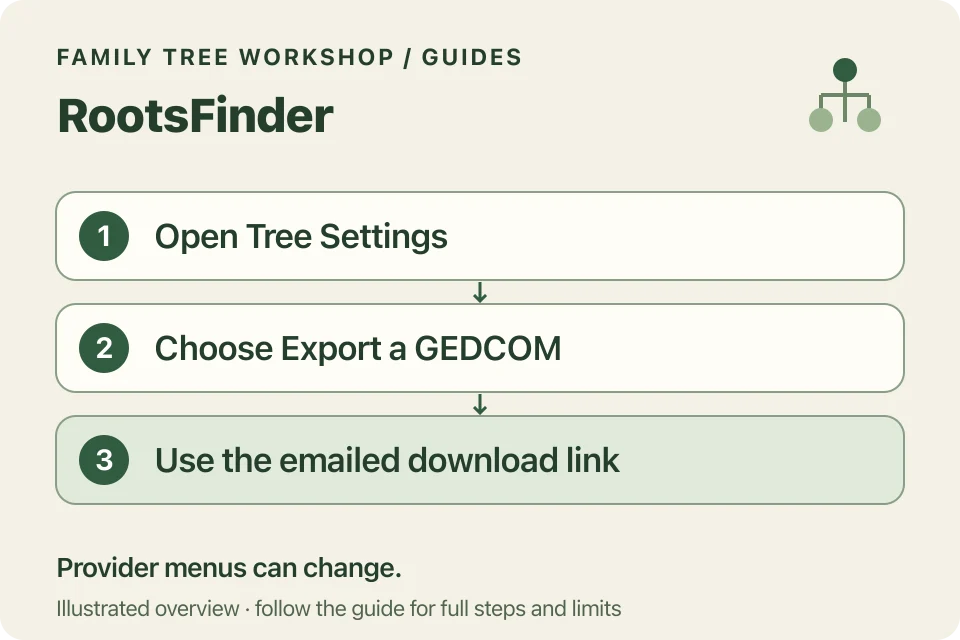
Request the export
- Sign in and open the tree you want.
- Choose Settings at the bottom of the left menu.
- On Tree Settings, find Export a GEDCOM.
- Choose Export.
- Check your account email for the link and save the file to your device.
These steps come from RootsFinder’s own support page, which has an older update date. If your menus differ, check RootsFinder’s current help before continuing.
Why check your email address first?
RootsFinder sends the download link by email, so make sure you can access the address on your account. Check junk mail and the account address if the message is missing. If you can’t access that mailbox, contact RootsFinder for help.
Workshop requires neither your provider credentials nor mailbox access. You simply choose the file you’ve downloaded.
What should you verify in the file?
Check that it represents the tree you want and that several known relationships are present. If data previously moved from another service into RootsFinder, inspect what actually transferred rather than assuming all attachments and source fields survived identically.
Keep the original research and media alongside the exchange file. Opening a file successfully doesn’t check the accuracy of your family research, so keep your notes about uncertain relationships.
How do you turn the download into a PDF?
Open it in the local converter, choose a starting person and begin with a small chart. Inspect details before increasing generations or changing the output format.
For large trees, tiled printing can keep text readable. The printing guide covers actual-size printing and assembly. Keep privacy masking enabled while reviewing shared output; saved projects contain original imported facts.